
If you’re spending 40+ hours a week at your desk—whether you’re fully remote or rocking a hybrid setup—you know that the right gear isn’t a luxury, it’s a necessity. We aren’t talking about basic supplies here; we’re talking about the quality-of-life additions that make work faster, quieter, and much more comfortable.
- Key Takeaways for Your 2025 Office Setup
- 1. Logitech MX Master 3S Wireless Performance Mouse
- 2. Sony WH-1000XM5 Noise-Canceling Headphones
- 3. BenQ ScreenBar Monitor Light: An Amazon Office Must Have Product 2025
- 4. Dual Monitor Arm Stand (Gas Spring)
- 5. Logitech MX Mechanical Wireless Keyboard
- Final Thoughts on Building Your 2025 Workspace
- Frequently Asked Questions (FAQ)
I’ve spent the last few months testing what truly works in a modern home office setting, discarding the flashy gadgets and focusing purely on dependable, productivity-boosting equipment. If you’re looking to truly invest in your setup, here are the non-negotiables that made our list of Amazon office must have products 2025.
Key Takeaways for Your 2025 Office Setup
- Ergonomics First: The dual focus for this year is reducing wrist strain (MX Master 3S) and clearing up visual clutter (Monitor Arms/ScreenBar).
- Silence is Golden: Noise-canceling headphones are critical for maintaining focus, especially when working near family, roommates, or busy streets.
- Mechanical is Back: Typing feel matters. The new low-profile mechanical keyboards offer satisfying feedback without the annoying click-clack of traditional switches.
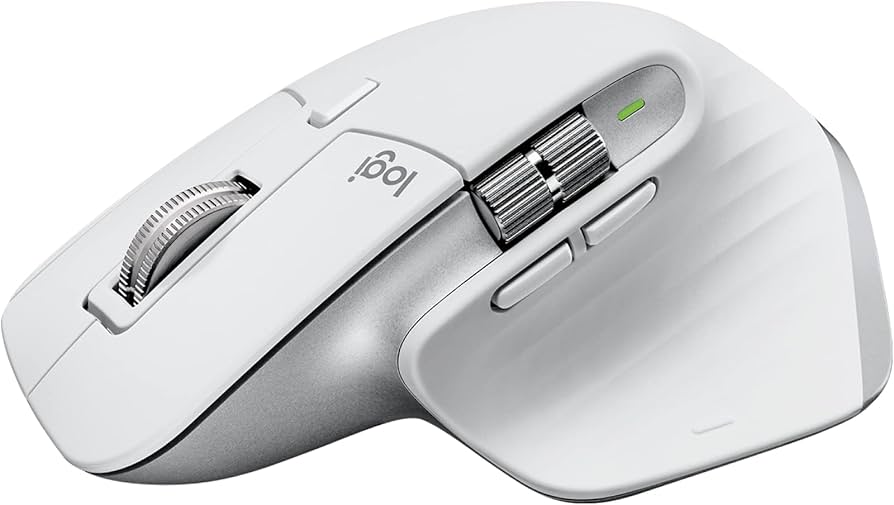
1. Logitech MX Master 3S Wireless Performance Mouse

If you’ve heard of “productivity peripherals,” the MX Master line is probably what they were talking about. The 3S takes everything great about its predecessors and makes it better—namely, making the main click 90% quieter. That might sound small, but if you have a partner on a conference call next to you, they will thank you.
The ergonomic shape fits your hand perfectly, and the magnetic (MagSpeed) scroll wheel is ridiculously satisfying. You can flick it to scroll through thousands of lines of code or data in seconds, then switch back to precise, line-by-line scrolling for delicate work. I use the side thumb buttons for copy/paste commands, which saves me thousands of keyboard strokes a week. It’s hard to go back to a standard mouse once you’ve felt this much control.
Pro Tip: Don’t ignore the Logitech Flow feature. If you use two different computers (say, a personal Mac and a work PC), Flow lets your cursor move seamlessly between them, even copying and pasting files between operating systems. It’s magic.
Pros: Excellent ergonomics, whisper quiet clicking, unmatched MagSpeed scrolling, customizable side buttons.
Cons: High price point for a mouse, large size might not suit very small hands.
Who It’s For: Power users, developers, analysts, and anyone dealing with large documents or spreadsheets all day.
2. Sony WH-1000XM5 Noise-Canceling Headphones

Let’s face it: working from home often means managing noise. Whether it’s neighborhood construction, barking dogs, or the constant din of household life, focus is a resource you have to protect. That’s why the Sony WH-1000XM5s are essential.
While the previous models were already great, Sony redesigned the XM5s to be lighter and sleeker, significantly improving the noise cancellation capabilities. When you turn these on, the world literally melts away. I often put these on even without playing music just to get the pure, sweet silence needed to concentrate on writing.
The sound quality for music and podcasts is top-tier, but what really matters for office use is the microphone quality during calls. They use sophisticated AI to make sure your voice is clear while eliminating background distractions—a massive improvement over earlier models.
Anecdote: I was on a critical budget call last week while my neighbor decided to run a very loud leaf blower outside my window. Not only did the sound cancellation protect my ears, but my colleague on the other end said they couldn’t hear the blower at all. Pure professional bliss.
Pros: Industry-leading noise cancellation, crystal-clear call quality, excellent comfort for long wear times.
Cons: Expensive, doesn’t fold up as compactly as previous models.
Who It’s For: Anyone needing uninterrupted focus, frequent callers, and those working in loud or shared environments.
3. BenQ ScreenBar Monitor Light: An Amazon Office Must Have Product 2025
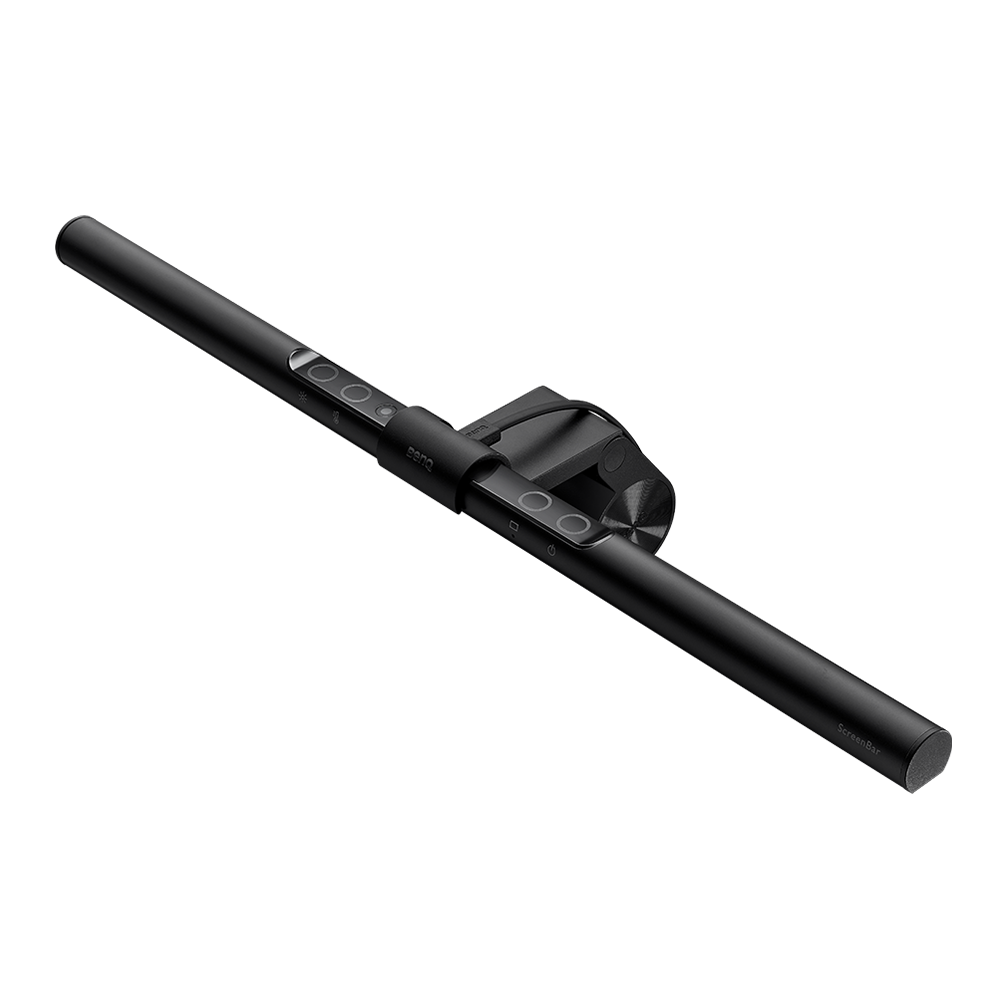
This is the one product people don’t know they need until they try it. The BenQ ScreenBar is brilliant in its simplicity: it’s an LED bar that sits atop your monitor, projecting light *down* onto your desk and keyboard, but crucially, *not* onto your screen.
Why does this matter? Standard desk lamps create hot spots, glare, and clutter up your limited desk space. The ScreenBar lights your working area perfectly while eliminating screen glare, which is the number one cause of late-day eye strain and fatigue.
Installation is incredibly simple—it just rests on the monitor bezel—and it runs off a USB cable. It’s fully adjustable in terms of color temperature (warm vs. cool) and brightness. If you do a lot of evening or early morning work, this is a lifesaver for your eyes.
Pro Tip: Use the automatic dimmer feature. It measures the ambient light in the room and adjusts the bar’s brightness accordingly, ensuring your screen always feels comfortable and balanced against your physical surroundings.
Pros: Saves desk space, eliminates screen glare, reduces eye strain dramatically, USB powered.
Cons: Pricier than standard desk lamps, requires a USB port.
Who It’s For: Anyone working long hours, content creators, or those suffering from screen fatigue.
4. Dual Monitor Arm Stand (Gas Spring)
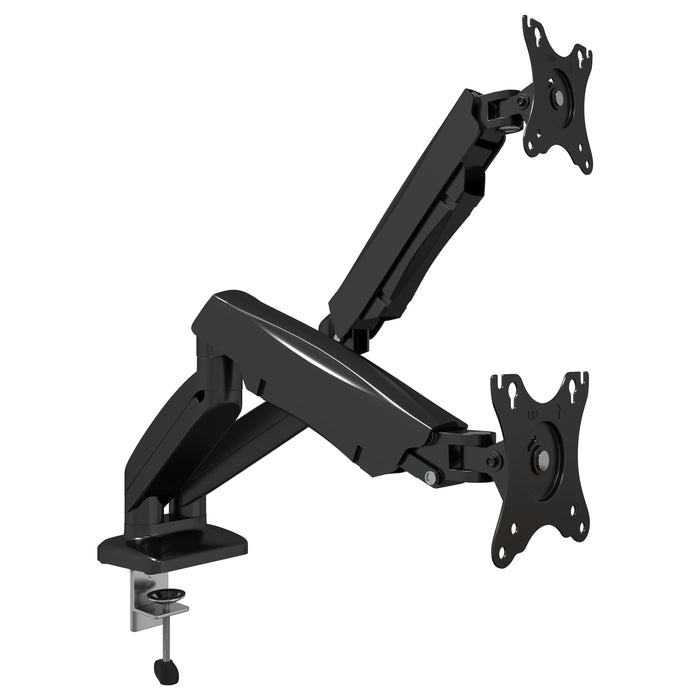
If you’re still using the standard stands that came with your monitors, you’re missing out on vital desk real estate and ergonomic control. A gas spring dual monitor arm stand is a complete game-changer for desk organization and posture.
These arms clamp securely to the back of your desk, holding both monitors securely and allowing them to float. Because they use a gas spring mechanism, you can adjust the height, tilt, and depth of each monitor with just the touch of a finger. This means you can instantly pull your screens closer for intensive design work or push them back when you need to spread out documents.
Anecdote: When I switched to a gas spring arm, I instantly reclaimed about two square feet of desk space that was previously taken up by chunky monitor feet. Plus, I could finally set my screen heights exactly right, aligning the top edge with my sightline, which eliminated that nagging neck pain I used to get around 3 PM.
Pros: Frees up massive desk space, supports perfect ergonomic positioning, easy one-touch adjustment.
Cons: Setup can be fiddly, requires a desk clampable edge (or drilling for grommet mount).
Who It’s For: Anyone running a multi-monitor setup, or those struggling with desk clutter and poor posture.
5. Logitech MX Mechanical Wireless Keyboard
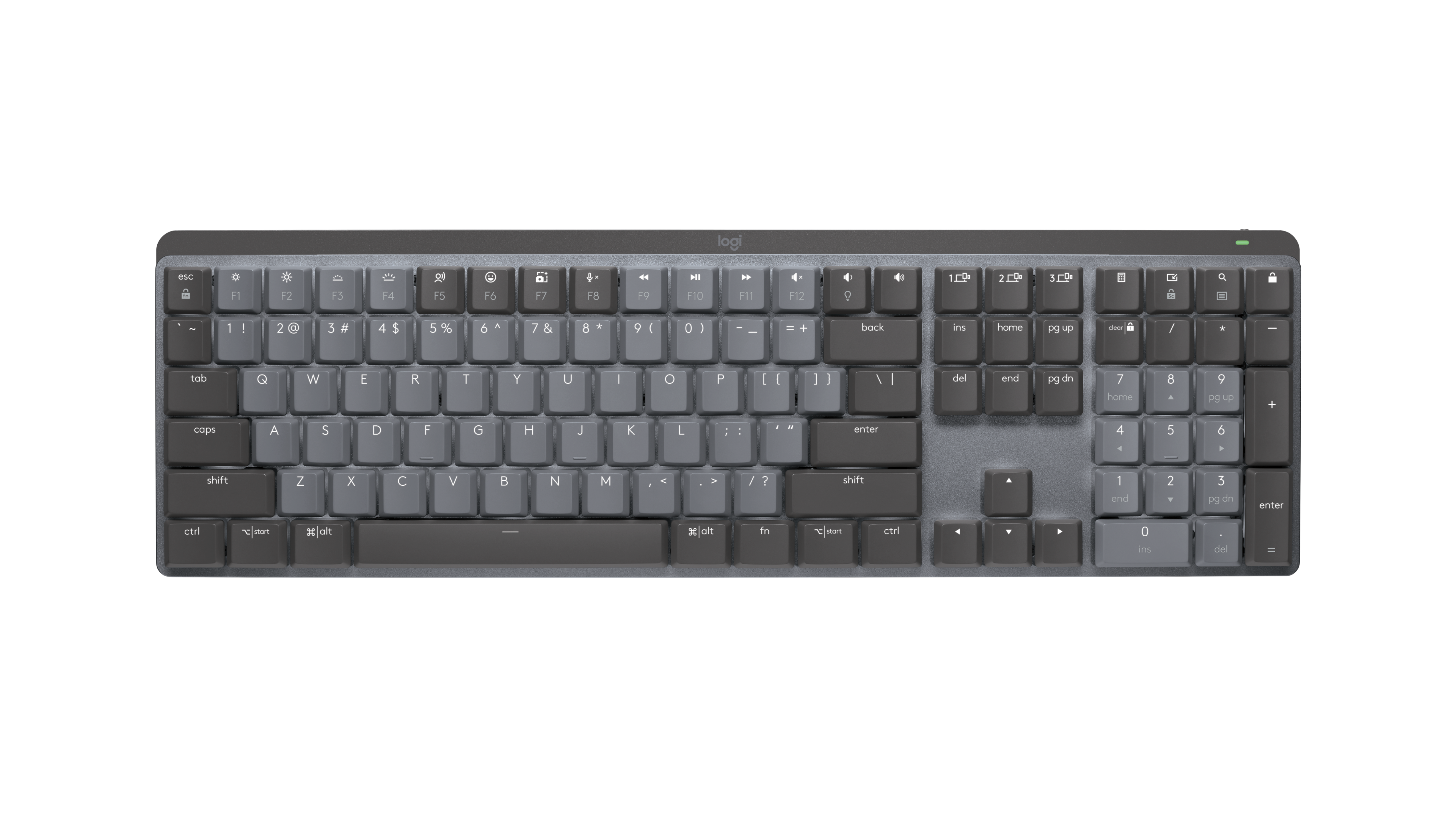
For years, if you wanted a mechanical keyboard—known for great tactile feedback and typing speed—you had to buy a massive, clunky, and incredibly loud board designed for gamers. Logitech finally fixed that problem with the MX Mechanical.
This keyboard offers the precise feel of mechanical switches (I recommend the tactile quiet switches, or ‘Browns’) but in a sleek, low-profile form factor that looks professional and fits easily under your hands. It’s quiet enough for an office setting but still provides that satisfying *thud* when you hit the key.
It’s built for productivity, using the same multi-device connections as the MX Master mouse, so you can easily switch between your laptop and desktop. If you type all day, the difference in finger fatigue compared to a cheap membrane keyboard is night and day.
Pro Tip: Choose the switch color wisely. The “Clicky” switches are still too loud for conference calls. Stick to the “Tactile Quiet” or “Linear” switches if you want mechanical feel without annoying your co-workers or family.
Pros: Low-profile design, satisfying mechanical feedback, long battery life, excellent build quality.
Cons: Backlighting can drain battery fast, dedicated num pad versions are large.
Who It’s For: Writers, coders, or anyone who spends a significant amount of time inputting text.
Final Thoughts on Building Your 2025 Workspace
Your office setup is a long-term investment in your career and your comfort. While none of these products are cheap, they deliver real, tangible returns in terms of reducing physical strain and improving focus. If I had to pick just one item to start with, I’d grab the Logitech MX Master 3S—it completely changes how you interact with your computer. Pair it with the Sony headphones, and you’ll find those big project days feel a whole lot easier.
Frequently Asked Questions (FAQ)
Are these Amazon office must have products 2025 necessary for a small office?
Absolutely. In a small space, items like the BenQ ScreenBar and the Monitor Arm Stand are even more critical because they help clear clutter and maximize every inch of desk space you have available. They help a small setup feel professional and breathable.
Why are the MX keyboards and mice so highly recommended?
The Logitech MX series is designed specifically for productivity, not gaming. This means they focus on long-term comfort, multi-device connectivity (Flow), and customizable button setups that save time on repetitive tasks. They’re simply built for people who work, not just play.
Should I choose a pneumatic/gas spring monitor arm or a standard spring arm?
Always go for the gas spring. While slightly more expensive, the gas spring mechanism allows for fluid, easy adjustments using just one hand. Standard mechanical springs usually require two hands and fiddling with tension bolts, making adjustments slow and frustrating.


Leave a Reply